
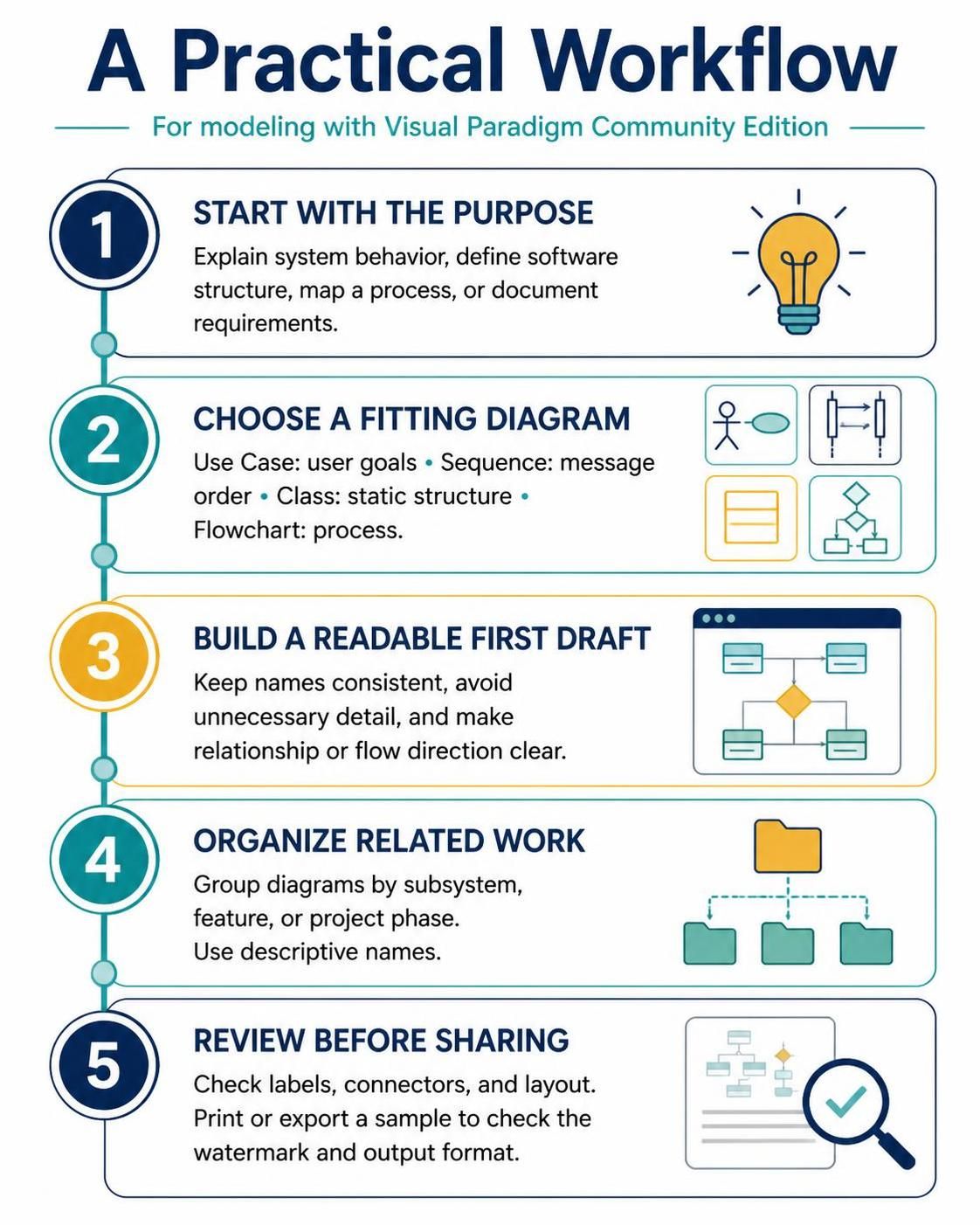
System modeling is the bridge between abstract requirements and concrete software implementation. However, the sheer number of diagram types available in tools like Visual Paradigm Community Edition can often lead to “diagram paralysis.” To overcome this, you need a structured approach. This tutorial outlines a proven five-step workflow to ensure your architectural documentation is purposeful, accurate, and professional.
Step 1: Start with the Purpose
The most common mistake in system design is creating a diagram without a specific goal. Before opening your modeling tool, you must identify what you are trying to communicate. The purpose dictates the complexity and the type of information presented.
Ask yourself what the diagram needs to achieve. Are you trying to:
- Explain System Behavior: How does the system react to external events?
- Define Software Structure: What are the building blocks and their relationships?
- Map a Process: How does data flow through the system?
- Document Requirements: What are the functional goals of the users?
By defining this scope early, you prevent “scope creep” where a diagram tries to do too much, becoming unreadable and ineffective.
Step 2: Choose a Fitting Diagram
Once the purpose is clear, selecting the right notation is critical. Visual Paradigm offers a vast library of diagrams, but for a practical workflow, four specific types cover the majority of standard architectural needs.
1. Use Case Diagram (User Goals)
Use this when your goal is to document requirements or map user interactions. It focuses on the “who” and “what” without getting bogged down in the “how.”
2. Sequence Diagram (Message Order)
Use this for detailed behavioral analysis. It visualizes the time-ordered flow of messages between objects or actors. It is essential for debugging logic errors or defining API contracts.
3. Class Diagram (Static Structure)
This is the backbone of object-oriented design. Use it to define the static structure of your software, showing classes, attributes, methods, and relationships like inheritance or aggregation.
4. Flowchart (Process)
Use this for general process mapping. If you need to outline a business process or a data flow that doesn’t strictly fit the UML object paradigm, a standard flowchart is often the most effective tool.
Step 3: Build a Readable First Draft
The goal of the first draft is clarity, not perfection. In Visual Paradigm, it is tempting to add every attribute and association immediately, but this leads to clutter. Follow these principles for a readable draft:
- Keep Names Consistent: Ensure that an entity named “Customer” in your Use Case diagram is referred to as “Customer” (not “User” or “Client”) in your Class diagram.
- Avoid Unnecessary Detail: In structural diagrams, only show attributes that are critical to the architecture. In behavioral diagrams, omit getters and setters.
- Clarify Flow Direction: Use clear arrowheads to indicate the direction of relationships or data flows. Ambiguity in connectors is a leading cause of misinterpretation.
Step 4: Organize Related Work
As your project grows, you will accumulate many diagrams. A chaotic folder structure makes it impossible to maintain consistency across the model. Visual Paradigm allows you to organize your work logically.
Adopt a grouping strategy based on your project’s topology:
- By Subsystem: Group diagrams that describe specific modules (e.g., “Authentication,” “Payment Processing”).
- By Feature: Organize diagrams based on user-facing features rather than technical implementation.
- By Project Phase: Keep a separation between high-level requirements (early phase) and detailed design (late phase).
Always use descriptive names for your diagrams and folders. Instead of naming a folder “Diagram 1,” name it “User Management Module.” This ensures you can locate specific artifacts later without guessing.
Step 5: Review Before Sharing
The final step is quality assurance. Before exporting your model for stakeholders or developers, perform a rigorous review. This is not just about checking for typos; it is about verifying the model’s integrity.
Check the following:
- Labels and Connectors: Are all names legible? Do arrows point in the correct direction?
- Layout: Is the diagram uncluttered? Have you utilized the auto-layout tools in Visual Paradigm to optimize spacing?
- Output Format: Always print or export a sample. Check the watermark settings, font rendering, and page margins to ensure the documentation looks professional in PDF or image formats.
/* Example of a clean review checklist logic */
function validateDiagram(diagram) {
    let isValid = true;

    if (diagram.labels.length === 0) {
        console.log("Warning: Diagram lacks labels.");
        isValid = false;
    }

    if (diagram.connectors.length > 20) {
        console.log("Warning: High complexity detected. Consider splitting diagram.");
        isValid = false;
    }

    return isValid;
}
By adhering to this five-step workflow, you transform system modeling from a chaotic activity into a disciplined engineering practice.