
As a Product Manager who has spent years bridging the gap between technical engineering teams and business stakeholders, I’ve always been fascinated by tools that reduce friction without sacrificing control. Recently, I’ve been exploring VPasCode, Visual Paradigm’s cloud-native Diagram-as-Code (DaC) platform. While its ability to render PlantUML, Mermaid, and Graphviz scripts in real-time is impressive, it was their latest update to the “Fix by AI” feature that truly caught my attention.
For engineers and technical writers, automated fixes often feel like a black box. You press a button, and the code changes—but how? And more importantly, why? Visual Paradigm has addressed this critical pain point by introducing AI Fix Details, a new transparency layer that combines natural language reasoning with a side-by-side code diff. Here is my review of how this enhancement transforms troubleshooting from a frustrating guesswork session into an interactive learning opportunity.
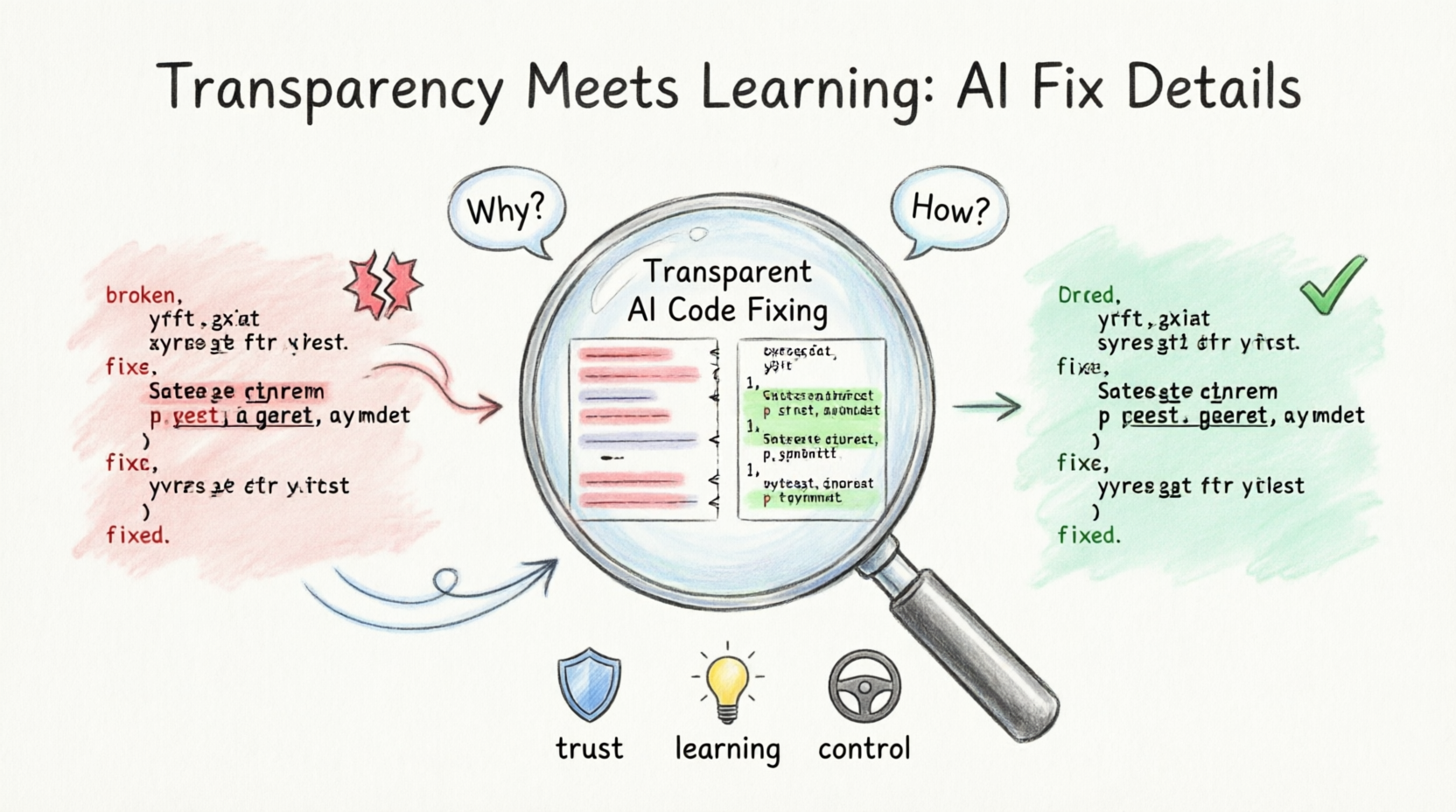
The Problem with “Magic” Fixes
In previous iterations of AI-assisted coding tools, the focus was purely on speed. If your PlantUML script failed to render due to a missing bracket or a syntax error, the AI would silently repair it. While efficient, this approach lacked visibility. For senior developers or those managing complex system architecture diagrams, trusting an AI to modify underlying logic without explanation can be risky.
Visual Paradigm recognized that while automation boosts productivity, transparency builds trust. Their goal with this update was simple: eliminate the frustration of debugging while ensuring users remain in complete control of their codebase.
The Upgraded Workflow: Complete Transparency in Real-Time
The core functionality of VPasCode remains seamlessly fast, but the user experience around error resolution has been significantly upgraded. Here is how the new workflow unfolds:
-
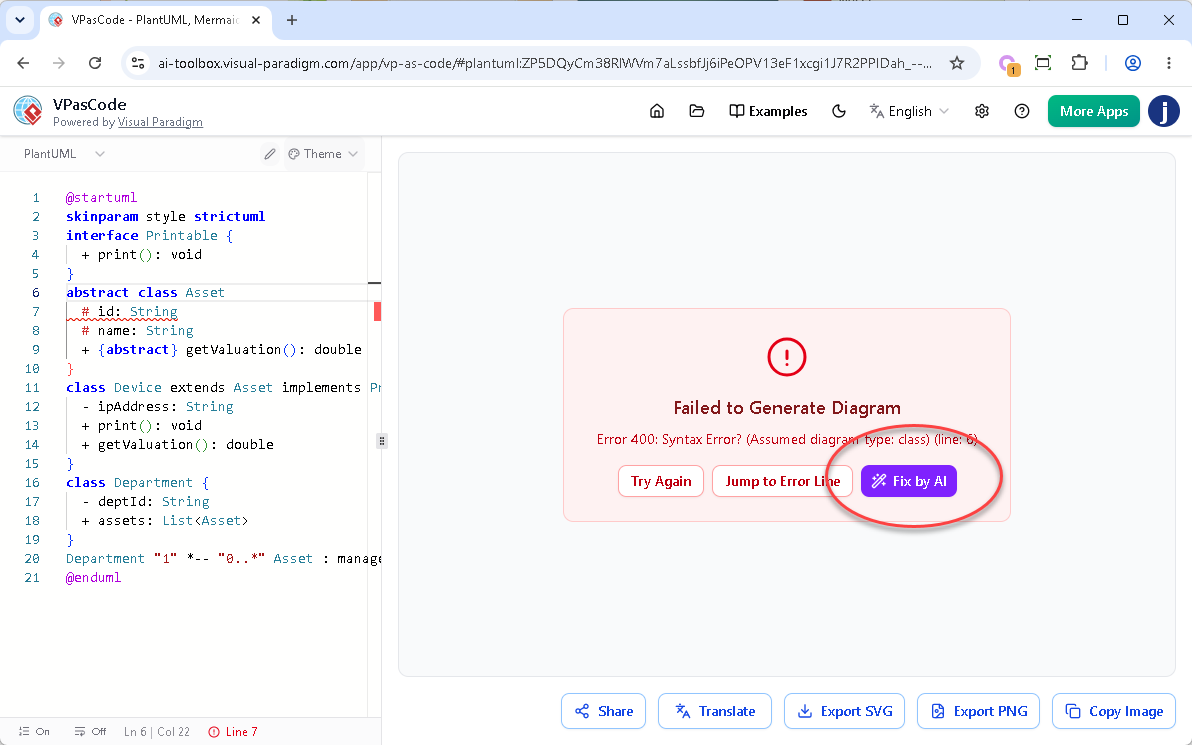
The Fix: When you encounter a syntax error and hit “Fix by AI”, the engine instantly repairs your script, cleans up the structure, and renders your diagram.
-
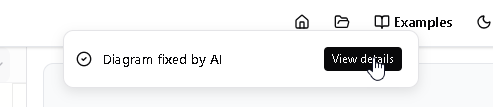
The Notification: Simultaneously, a sleek notification banner appears at the top of your screen with the message: “Diagram fixed by AI”.
-
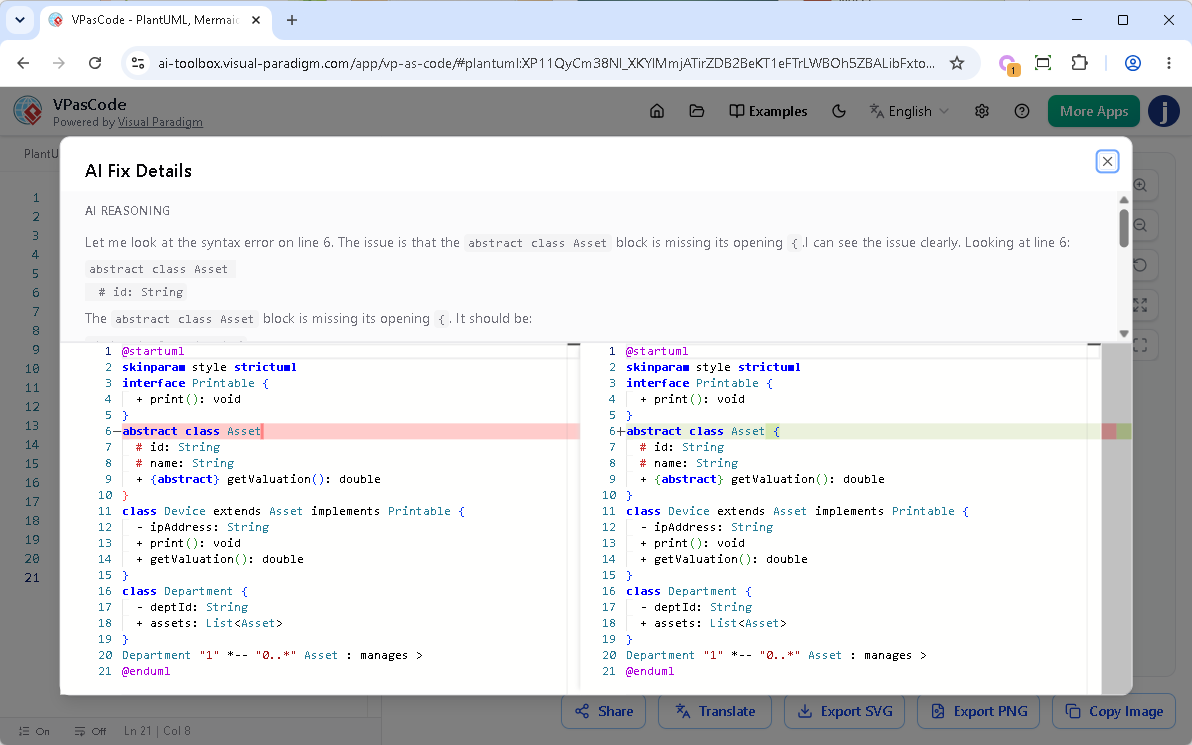
The Reveal: To the right of that banner, a new “View details” button invites you to dig deeper. Clicking this opens a comprehensive popup dialog box that details exactly what changed in your project.
Try it Yourself
To see this in action, you can test the enhancement using the problematic PlantUML code below. This script contains intentional syntax errors that trigger the AI fix mechanism.
@startuml
skinparam style strictuml
interface Printable {
  + print(): void
}
abstract class Asset
  # id: String
  # name: String
  + {abstract} getValuation(): double
}
class Device extends Asset implements Printable {
  - ipAddress: String
  + print(): void
  + getValuation(): double
}
class Department {
  - deptId: String
  + assets: List
}
Department "1" *-- "0..*" Asset : manages >
@enduml
Inside the AI Fix Details Dialog
The new dialog box is cleanly divided into two highly informative sections, each serving a distinct purpose in the troubleshooting process:
-
Upper Part (AI Reasoning): This section provides a plain-English explanation generated by the AI. It details exactly what syntax issue was discovered (e.g., locating a missing opening bracket
{on a specific line) and explains the logical approach taken to resolve it. -
Lower Part (Code Diff Component): This is the heart of the transparency feature. It offers a precise, side-by-side comparison of your code block before and after the modification. Red highlights mark the broken or missing sections on the left, while green highlights cleanly call out the repaired syntax injected on the right.
Why This Enhancement is a Game-Changer
From a product perspective, this update addresses three critical user needs:
1. Absolute Trust and Control
Developers are naturally skeptical of software that edits their work unpredictably. The code diff gives you total peace of mind, proving that the AI is safely targeting the exact syntax error without making arbitrary, unexpected, or unneeded changes to your underlying business logic. You aren’t just accepting a fix; you’re verifying it.
2. Interactive Learning on the Go
Syntax rules across PlantUML, Mermaid, and Graphviz can sometimes get confusing, especially when switching between engines. By reading the AI’s plain-text reasoning and seeing the exact visual diff highlight, the platform transforms from a simple editor into a learning tool. It helps users master subtle syntax nuances, reducing the likelihood of repeating the same mistakes in the future.
3. Effortless Auditing and Quick Reversals
When managing large diagrams, tracking down tiny code modifications that alter structural layout can be difficult. By knowing exactly what changed and where, you can easily audit changes or manually revert specific choices if your original intent differed from the syntax requirements. It turns debugging into an auditable process.
Availability and Access
The enhanced AI Fix Details dialog is seamlessly integrated into the existing AI Code Error Fixing tool. It is accessible to all premium accounts, including:
-
Visual Paradigm Online Combo Edition (or higher).
-
Visual Paradigm Desktop Professional Edition (or higher) with active maintenance.
Final Thoughts
VPasCode has long been a powerful tool for teams looking to version-control their diagrams and integrate them into Git-friendly workflows. However, with the introduction of AI Fix Details, Visual Paradigm has elevated the platform from a utility to a collaborative partner.
By prioritizing transparency, they have acknowledged that modern engineering tools shouldn’t just do the work for us—they should help us understand the work better. Whether you are a senior architect auditing complex system diagrams or a junior developer learning the ropes of PlantUML, this new feature ensures that you stay in the driver’s seat.
Stop guessing what broke your script and start learning from your code fixes. Head over to VPasCode, create freely, and check out the new transparent AI Fix Details interface today!
Try it now at https://www.vpascode.com/editor/
References
- VPasCode – Text-to-Diagram Platform | PlantUML, Mermaid …: The official feature page for VPasCode detailing its core capabilities, multi-engine support, and AI-driven features.
- Mastering VPasCode: The Ultimate Guide to AI-Powered Diagram-as-Code with Multi-Engine Support: A comprehensive guide on mastering the VPasCode platform, focusing on AI-powered diagram-as-code workflows and multi-engine support.
- Comprehensive Guide to VPasCode by Visual Paradigm: An in-depth documentation guide covering the complete feature set and usage instructions for the VPasCode platform.
- Introducing VPasCode: The Ultimate Unified Text-to-Diagram Platform: The official release announcement introducing VPasCode as a unified, cloud-native text-to-diagram platform.
- Introducing Visual Paradigm 18.1: A New Era of Unified Ecosystems and AI-Driven Innovation: Release notes for Visual Paradigm 18.1 highlighting the new unified ecosystems and AI-driven innovations across the platform.
- Introducing Visual Paradigm 18.1: A New Era of Unified Ecosystems and AI-Driven Innovation: A blog post discussing the launch of Visual Paradigm 18.1 and its focus on unified ecosystems and AI capabilities.
- Revolutionizing Diagram Maintenance: How VPasCode’s AI Auto-Fix Eliminates Syntax Frustrations: A detailed guide explaining how the new AI auto-fix feature resolves syntax errors and streamlines diagram maintenance.
- Visual Paradigm Online: The main web portal for accessing Visual Paradigm’s suite of online applications, including VPasCode.
- Break Language Barriers Natively with VPasCode’s New AI Diagram Translation: Release notes introducing the AI diagram translation feature designed to support international development teams.
- From Code to Clarity: A Beginner’s Guide to Seamless Diagramming with VPasCode and OpenDocs: A beginner-friendly guide on leveraging VPasCode and OpenDocs integration for seamless diagramming and documentation workflows.
- VPasCode Overview: The official overview page for VPasCode, outlining its core functionalities as a text-to-diagram platform.
- Seamlessly Connect Diagramming to Documentation: VPasCode Integrates with OpenDocs: Release notes announcing the direct integration between VPasCode and OpenDocs to streamline the diagram-to-documentation pipeline.