
In the rapidly evolving landscape of software engineering, the barrier between abstract ideas and concrete system design is being dismantled by Artificial Intelligence. Visual Paradigm has introduced a transformative feature: the AI Diagram Generator. This tool shifts the paradigm from manual drafting to intelligent interpretation, allowing architects to generate complex UML models directly from natural language prompts.
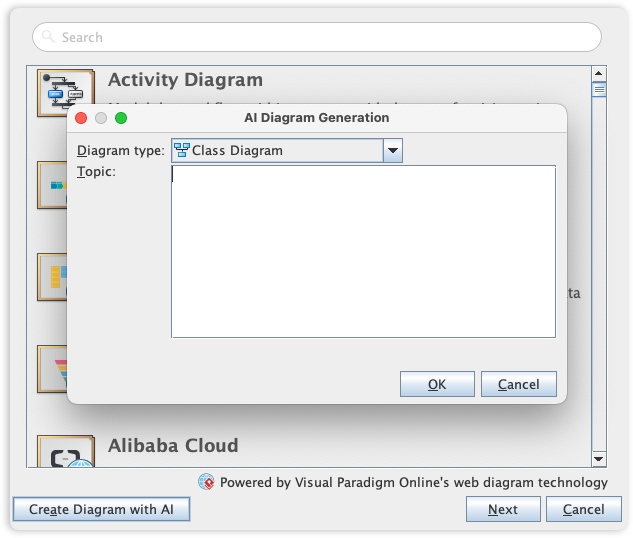
This tutorial explores the underlying logic of AI-driven modeling, specifically focusing on the workflow shown in the interface: transitioning from a simple text prompt to a fully structured Class Diagram.
The Architecture of the AI Diagram Generator
The interface displayed in the screenshot represents a sophisticated pipeline where natural language processing (NLP) acts as the bridge between human intent and formal modeling standards. The system is designed to handle the “blank canvas” problem by interpreting unstructured text and converting it into structured data.
Step 1: Defining the Context
The first interaction point in the generator is the Topic field. This is where the user provides the semantic context for the system. Unlike traditional modeling where you must manually place every box, here you describe the domain.
For example, instead of drawing a box labeled “User,” you might type a prompt such as: “Create a class diagram for an E-commerce system where users can place orders and vendors manage inventory.”
Step 2: Diagram Type Selection
The dropdown menu allows you to specify the structural perspective required. The AI does not guess the intent; it relies on your selection to determine the mapping logic. The supported types include:
- Class Diagram: Focuses on static structure, classes, attributes, and relationships.
- Use Case Diagram: Focuses on actor interactions and system goals.
- Sequence Diagram: Focuses on the temporal flow of messages between objects.
From Text to Structure: The Class Diagram Logic
The screenshot specifically highlights the generation of a Class Diagram. When the AI processes your text, it performs the following architectural decomposition:
- Entity Extraction: The AI identifies nouns in your text to propose Class names (e.g., “Order”, “User”, “Product”).
- Attribute Inference: It analyzes the context to suggest attributes (e.g., “Order” likely has “OrderID”, “Date”, and “TotalAmount”).
- Relationship Mapping: It identifies verbs and prepositions to define associations (e.g., a User “places” an Order, implying a 1-to-Many relationship).
Once the AI generates the draft, the user enters a “Human-in-the-loop” phase. The system produces a draft, but the architect must refine and validate the architecture to ensure business rules are correctly represented.
Technical Implementation: The Workflow
When you click OK in the dialog box, the system initiates a backend process. This is not merely a text-to-image generator; it constructs a valid UML model file (typically XML or XMI) which is then rendered using the Visual Paradigm rendering engine.
This process allows for immediate iteration. If the AI misses a specific constraint, you can manually adjust the diagram and ask the AI to “incorporate this new constraint,” creating a dynamic feedback loop between the text prompt and the visual model.
graph TD
    A[User Input: Natural Language Prompt] --> B{AI Diagram Generator}
    B --> C[Semantic Analysis & Entity Extraction]
    C --> D[Map to UML Schema]
    D --> E[Generate Draft Class Diagram]
    E --> F{Validation Loop}
    F -- Refine --> G[Manual Adjustment]
    F -- Accept --> H[Final Architecture Model]
    G --> D
Conclusion
The integration of AI into Visual Paradigm marks a significant shift in system design. By automating the creation of the initial draft, architects can bypass the tedious mechanics of drawing shapes and connecting lines, moving directly to the critical task of design validation and architectural decision-making.