
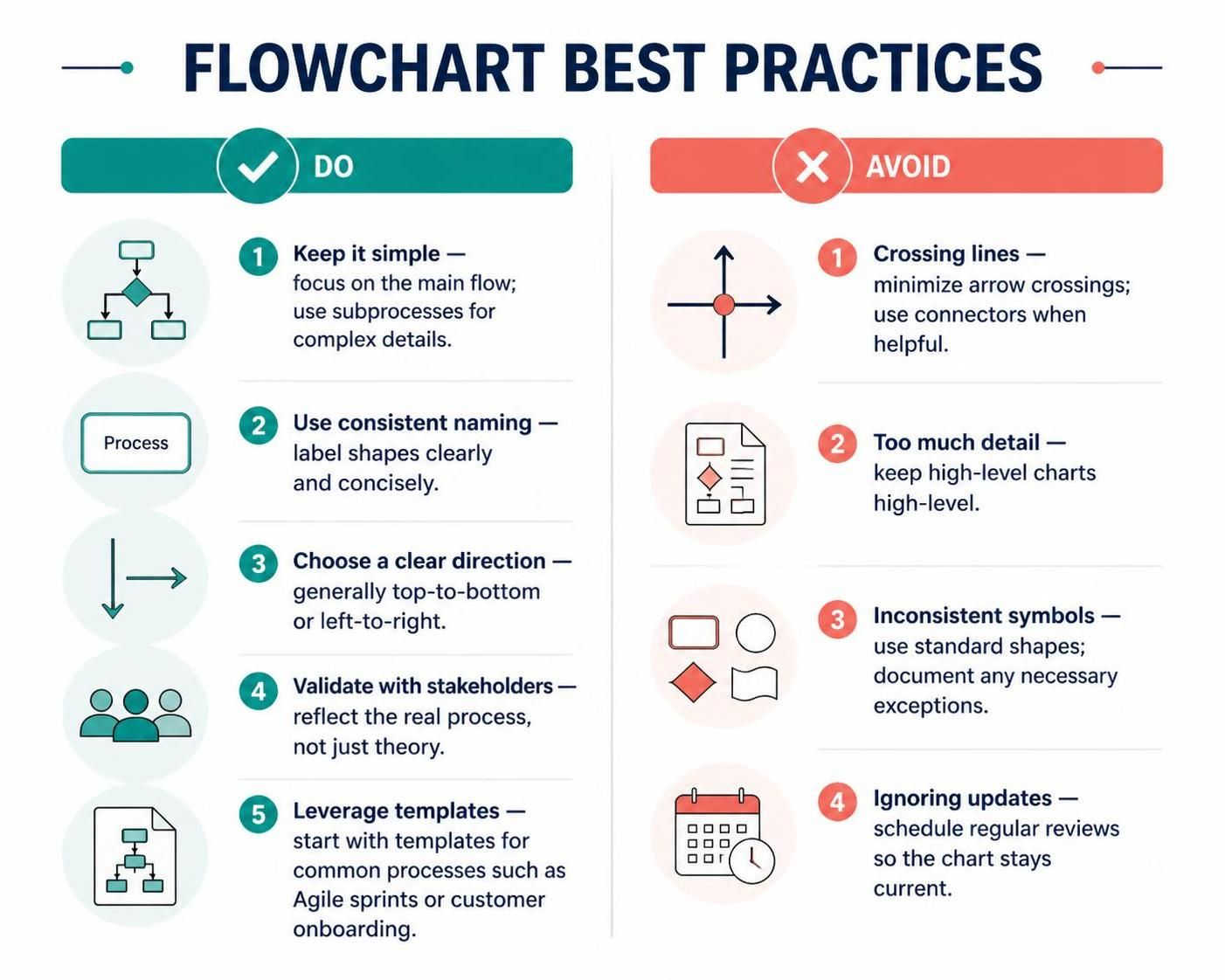
In the world of systems engineering and software development, a flowchart is more than just a diagram; it is the visual contract between the technical team and the stakeholders. It bridges the gap between abstract logic and executable reality. However, a complex diagram can be just as confusing as no diagram at all. Whether you are using Visual Paradigm with VPasCode or drawing manually, adhering to strict design principles is essential for clarity.
The Philosophy of Simplicity in System Architecture
The most common mistake in process modeling is the “Everything at Once” syndrome. When creating a high-level view of a system, the goal is to communicate the main flow, not to document every single exception or edge case. A cluttered flowchart leads to cognitive overload, causing stakeholders to miss the critical path.
To maintain a clean architecture, you must adopt a strategy of abstraction. If a specific section of your process involves complex branching logic (e.g., “If credit card fails, try PayPal, if that fails, call support”), do not draw it out on the main diagram. Instead, encapsulate that complexity into a Subprocess symbol. This keeps your primary view uncluttered while allowing you to drill down into details later when necessary.
Visual Consistency and Standardization
Readability is the currency of good modeling. If you introduce a new symbol for every unique decision, your audience will struggle to decode your diagram. Consistent Naming and Standard Symbols are non-negotiable.
- Shape Semantics: Use standard shapes. A rectangle represents a process, a diamond a decision, and an oval a start/end point. Do not invent new shapes unless you have a specific architectural reason and have documented it clearly.
- Labeling: Labels should be concise. Instead of writing “The user enters their password into the secure login field,” simply write
Login Validation. The logic belongs in the code or the detailed specifications, not the diagram label.
Directional Flow and Readability
Human eyes are trained to read from top-to-bottom and left-to-right. Your flowchart should respect this natural reading order. Avoid arrows that point upwards or cross over each other randomly. Crossing lines create visual “noise” that forces the reader to trace the path mentally, increasing the chance of errors in understanding.
If your process is vast and you cannot avoid line crossings, use Connectors (often represented by labeled circles, e.g., A or 1). This allows you to break a long arrow into segments, keeping the diagram tidy.
The VPasCode Advantage: Coding Your Architecture
Using VPasCode within Visual Paradigm allows you to treat your diagrams as code. This approach enforces discipline. When you write the script for your flowchart, you cannot accidentally draw a crooked line or use an inconsistent shape without defining it first. It ensures that your “Do” list—simplicity, consistency, and direction—is automated.
For example, when defining a complex workflow, you can use VPasCode to generate the structure automatically, ensuring that all decision diamonds are perfectly aligned and all process boxes are uniform in size.
Flowchart "Order Processing System" {
    Start("Customer Order") --> Process("Validate Inventory")

    subgraph "Complex Logic"
        Decision("Stock Available?")
        Decision("Payment Valid?")
    end

    Process("Validate Inventory") --> Decision("Stock Available?")
    Decision("Stock Available?") -- Yes --> Process("Process Payment")
    Process("Process Payment") --> Decision("Payment Valid?")
    Decision("Payment Valid?") -- Yes --> End("Order Confirmed")
    Decision("Stock Available?") -- No --> End("Out of Stock")
}
Maintaining the Living Document
An outdated flowchart is worse than no flowchart. It creates a false sense of security where developers believe they are building the “old” system. You must schedule regular reviews. A flowchart is a living document that should evolve alongside your software. If you are using Agile methodologies, your flowcharts should be reviewed during Sprint Retrospectives to ensure they match the current reality.
Conclusion
By leveraging pre-built templates for common processes like “Customer Onboarding” or “Agile Sprints,” you can start your modeling journey with a solid foundation. Remember: Focus on the main flow, validate with stakeholders to ensure reality matches theory, and never let your diagrams gather dust. With the right tools and best practices, your flowcharts will become powerful assets for your entire team.