
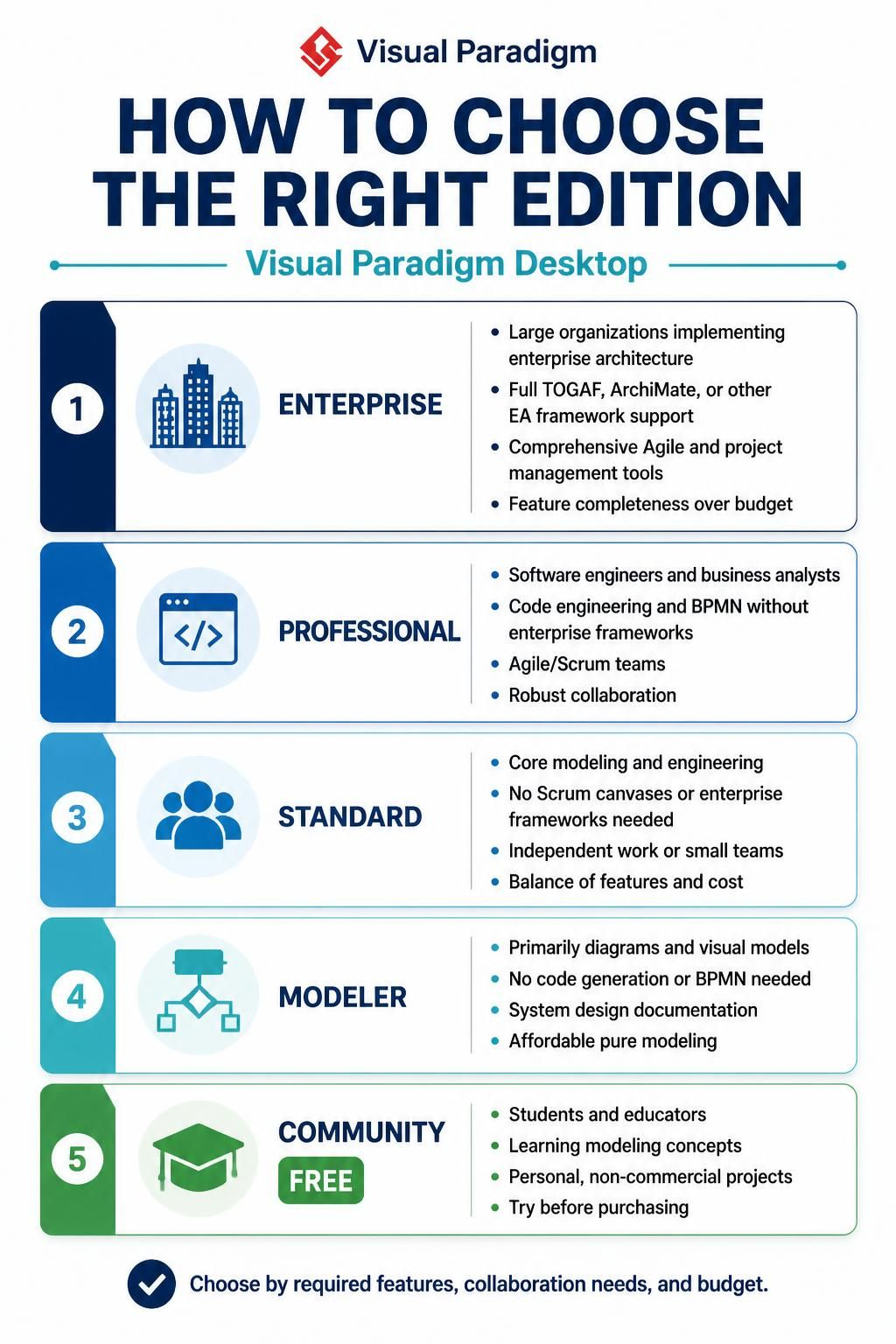
Selecting the appropriate version of Visual Paradigm is a critical step in establishing an effective modeling workflow. The software offers a tiered suite of tools designed to cater to specific professional roles, ranging from individual diagrammers to large-scale enterprise architects. Understanding the distinction between the editions ensures that your team invests in the precise capabilities required for tasks like Enterprise Architecture (EA), Business Process Management (BPM), or software engineering.
1. Enterprise: The Powerhouse for Large-Scale Architecture
The Enterprise edition is the most comprehensive version, designed for organizations implementing complex Enterprise Architecture. It serves as a central hub for large teams where feature completeness is prioritized over budget constraints.
Key Capabilities:
- Framework Support: Includes full support for TOGAF, ArchiMate, and other industry-standard EA frameworks.
- Comprehensive Management: Offers robust Agile and project management tools to handle large-scale initiatives.
- Target Audience: Ideal for architects working in large organizations who need to bridge the gap between business strategy and IT implementation.
2. Professional: The Engineer’s Choice
The Professional edition is tailored specifically for software engineers and business analysts who require deep technical capabilities without the overhead of full enterprise frameworks. It is the preferred choice for teams practicing Agile and Scrum methodologies.
Key Capabilities:
- Code Engineering: Includes features for code generation and reverse engineering.
- BPMN Support: Provides Business Process Model and Notation (BPMN) capabilities.
- Collaboration: Designed for robust team collaboration and Scrum canvases.
3. Standard: Balanced Core Modeling
The Standard edition strikes a balance between cost and functionality. It is suitable for users who need core modeling and engineering capabilities but do not require the advanced Scrum canvases or enterprise frameworks found in higher editions.
Key Capabilities:
- Core Modeling: Essential capabilities for standard system design.
- Team Size: Optimized for independent work or small teams.
- Value: Provides the best balance of features and cost for general engineering needs.
4. Modeler: Pure Visual Design
The Modeler edition is an affordable option for users whose primary goal is to create diagrams and visual models. It lacks the code generation and BPMN features required for process engineering or software development.
Key Capabilities:
- Visual Focus: Focused entirely on system design documentation.
- Simplicity: No code generation or BPMN required.
- Use Case: Perfect for creating high-level architecture diagrams or UML diagrams for documentation purposes.
5. Community: Learning and Non-Commercial Use
The Community edition is a free version designed for students, educators, and hobbyists. It is the ideal starting point for those learning modeling concepts or working on personal, non-commercial projects.
Key Capabilities:
- Educational: Best for learning modeling concepts.
- Non-Commercial: Restricted to personal projects.
- Trial: Allows users to try Visual Paradigm before purchasing a commercial license.
Conclusion
When deciding which edition to purchase, start by evaluating your team’s specific needs. If you are a student or just starting out, the Community edition offers a robust free trial. As your needs grow from pure diagramming to code generation and Agile management, you will likely need to transition to the Professional or Enterprise editions to maintain productivity and compliance with industry standards.