
Unlock the Power of Digital Storytelling with Fliplify – The Ultimate Animated Flipbook Platform by Visual Paradigm Online
🌟 Introduction: What Is Fliplify?
Fliplify is a cutting-edge digital flipbook creation platform developed by Visual Paradigm Online, designed to transform static documents—such as PDFs, Word (DOCX), and PowerPoint (PPTX) files—into interactive, animated, page-flipping digital publications.
Unlike traditional flipbooks that simply mimic the look of a physical book, Fliplify brings your content to life with rich animations, intelligent characters, and immersive storytelling features, making it ideal for educators, marketers, publishers, trainers, and businesses aiming to captivate their audience.
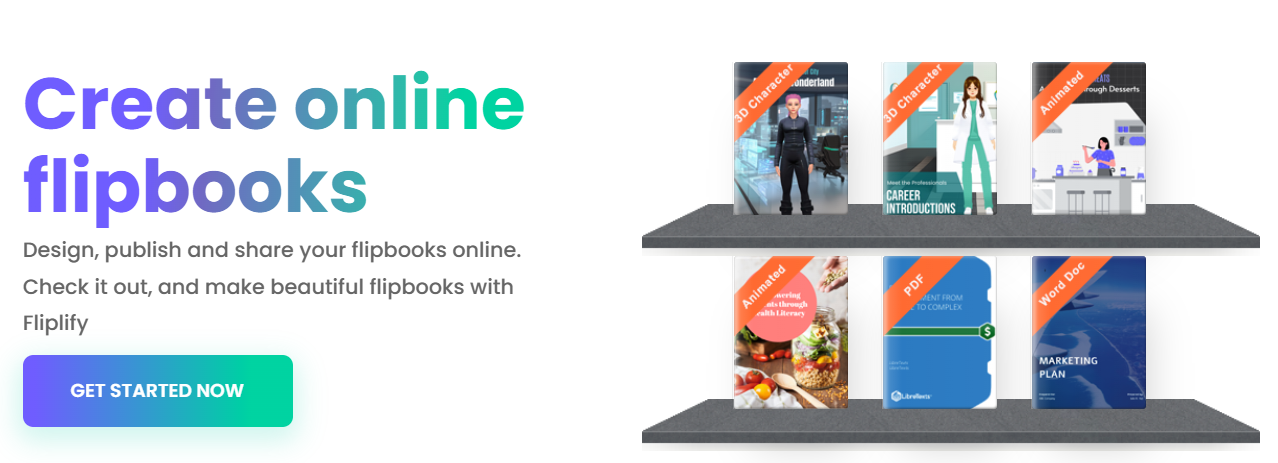
✅ Powered by AniFuzion™: Fliplify’s secret weapon is its integration with AniFuzion, a next-generation animation engine that enables realistic 2D and 3D character animations, automatic lip-sync, text-to-speech, and intuitive timeline control—all within a browser-based interface.
🔥 Key Features & Benefits: Why Fliplify Stands Out
🎮 1. Animated Characters That Bring Your Content to Life
Fliplify doesn’t just animate text—it animates personality. With access to over 200+ pre-designed avatars and animated characters, you can add lifelike storytellers, guides, or brand ambassadors directly into your flipbooks.
✅ 2D Animated Characters
-
Hand-drawn style with customizable height and width.
-
Ideal for playful, educational, or branding-focused content.
-
Perfect for cartoons, kids’ books, or interactive e-learning modules.
✅ 3D Animated Characters
-
Computer-generated (CG) characters with depth and realism.
-
Support for natural facial expressions, body movement, and spatial awareness.
-
Realistic motion makes them ideal for corporate training, product demos, or virtual presentations.
💡 Pro Tip: Use 3D characters as virtual tour guides in real estate flipbooks or as animated sales reps in product catalogs.
🎤 2. Automatic Lip Sync & Text-to-Speech (TTS)
Make your characters speak—naturally.
-
AI-Powered Lip Sync: Characters automatically match mouth movements to generated speech.
-
Text-to-Speech (TTS): Convert written text into natural-sounding voiceovers in multiple languages and accents.
-
No recording needed. Just type, and your character talks.
🎯 Use Case: Create multilingual e-learning flipbooks where a 3D avatar explains concepts in English, Spanish, or Mandarin—all with perfect lip synchronization.
🎞️ 3. Ready-to-Use Animations & Effects Library
Stop reinventing the wheel. Fliplify comes with a vast library of pre-built animations to accelerate your workflow.
-
Classic Actions: Walk, wave, point, nod, sit, stand, jump.
-
Emotion-Based Expressions: Smile, frown, surprise, excitement.
-
Motion Triggers: Characters react dynamically to user interactions (e.g., “click to continue” triggers a gesture).
🛠️ Effortless Workflow: Drag and drop any animation onto a character. No coding required.
⏱️ 4. Timeline Control: Precision Animation Sequencing
Take full creative control with a drag-and-drop timeline editor.
-
Set exact start and end times for animations.
-
Layer multiple animations (e.g., a character walks in, then points at a diagram).
-
Sync animations with page transitions or user clicks.
-
Visual timeline shows all events—perfect for complex storytelling.
🎯 Best For: Interactive training modules, marketing pitch decks, or animated storybooks where timing is critical.
🎨 5. Animate Any Element: Text, Images, Shapes & More
Go beyond characters—animate everything on your page.
-
Entry Effects: Fade in, bounce, slide, zoom.
-
Emphasis Effects: Pulse, shake, highlight.
-
Exit Effects: Dissolve, fly out, shrink.
-
Trigger-Based Animations: Start when a user hovers, clicks, or scrolls.
🧠 Creative Possibility: Highlight key statistics with a bouncing icon, or make a product image “pop” into view when a reader reaches that page.
📁 6. Seamless File Conversion & Import
Turn any static document into a dynamic flipbook in seconds.
-
Supported Formats:
-
PDF (multi-page)
-
Microsoft Word (.docx)
-
PowerPoint (.pptx)
-
Images (PNG, JPG)
-
-
Preserve Formatting: Layout, fonts, colors, and images remain intact.
-
Auto-Page Detection: Automatically splits content into flipbook pages.
✅ No need to reformat your existing content. Just upload and enhance.
🏷️ 7. Virtual Bookshelves: Organize Your Digital Library
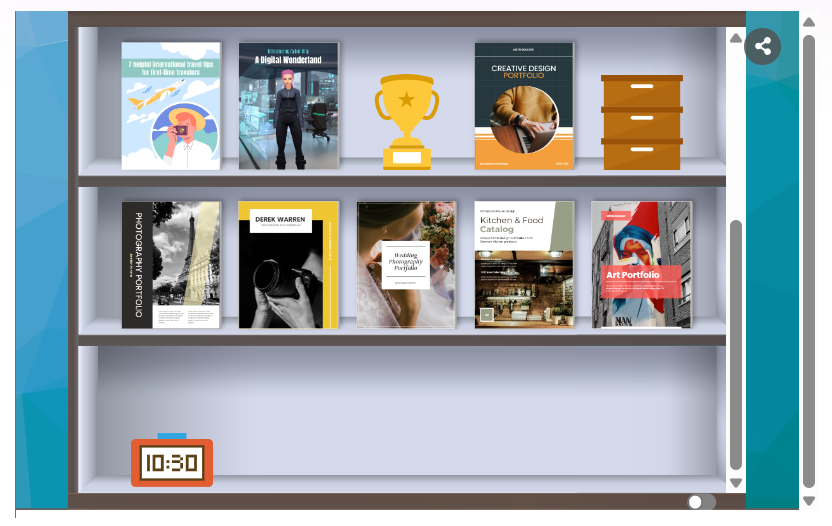
Keep your flipbooks organized and professional.
-
Create custom digital bookshelves to group flipbooks by category (e.g., “Training,” “Products,” “Events”).
-
Add cover thumbnails, descriptions, and tags.
-
Ideal for agencies, schools, or companies managing multiple publications.
📚 Example: A university could host all course syllabi, student handbooks, and event programs in one branded bookshelf.
🌐 8. Self-Hosting & Full Branding Control

Take ownership of your digital presence.
-
Host your flipbooks on your own domain (e.g.,
flipbooks.yourcompany.com). -
Customize:
-
Logo and color scheme
-
Background music
-
Navigation buttons
-
Privacy settings
-
-
Perfect for enterprises needing compliance, security, or brand consistency.
🔐 Ideal For: Banks, healthcare providers, or government agencies requiring data sovereignty.
📱 9. Multi-Device & Browser Compatibility
Your flipbooks work everywhere, anytime.
-
Fully mobile-optimized (iOS, Android, tablets).
-
Responsive design adapts to any screen size.
-
Works in all modern browsers (Chrome, Safari, Firefox, Edge) without plugins or downloads.
-
No installation required—just share a link.
🎯 Perfect for: Remote teams, e-commerce product guides, or on-the-go training materials.
🌈 Unique Selling Points (USPs): What Makes Fliplify Different?
| Feature | Fliplify | Competitors |
|---|---|---|
| Integrated 2D & 3D Animation Engine (AniFuzion) | ✅ Yes | ❌ Rarely available |
| Automatic Lip Sync + Text-to-Speech | ✅ AI-powered | ❌ Manual or unavailable |
| Drag-and-Drop Timeline Editor | ✅ Intuitive & visual | ❌ Clunky or missing |
| Over 200 Animated Avatars | ✅ Rich library | ❌ Limited or generic |
| Self-Hosting with Custom Domains | ✅ Full control | ❌ Often restricted |
| Animation of All Page Elements (Text, Images, Shapes) | ✅ Yes | ❌ Limited to images or characters |
✅ Fliplify is the only platform that combines animated storytelling, AI-driven voice, and full creative control in one seamless, browser-based tool.
🛠️ How to Start a Project from a Template
Fliplify makes it easy—even for beginners—to create stunning flipbooks in minutes.
✅ Step-by-Step: Launch Your First Animated Flipbook
-
Log in to Fliplify (or sign up for a free trial).
-
Click “Create New Flipbook”.
-
Choose a template:
-
E-Learning Course
-
Product Catalog
-
Corporate Presentation
-
Interactive Resume
-
Children’s Storybook
-
-
Upload your file (PDF, DOCX, PPTX, or image).
-
Preview & Edit:
-
Use the AniFuzion panel to add characters.
-
Drag animations onto characters or text.
-
Use the timeline to sequence events.
-
Add TTS voiceover or use pre-recorded audio.
-
-
Customize:
-
Set background music.
-
Add your logo and brand colors.
-
Enable self-hosting (if desired).
-
-
Publish & Share:
-
Generate a shareable link.
-
Embed in websites or LMS platforms (like Moodle, Canvas).
-
Download as HTML or publish to your domain.
-
🎁 Bonus: Use the “Animated Flipbook Starter Kit” (available in the template library) to jumpstart your first project with pre-built animations and a sample character.
💰 Pricing & Animation Feature Access
Fliplify offers tiered plans to suit different needs—from solo creators to large enterprises.
| Plan | Price (Monthly) | Key Features |
|---|---|---|
| Free Plan | $0 | – 1 flipbook – 200 MB storage – Basic animations – Fliplify branding |
| Starter | $19 | – 5 flipbooks – 1 GB storage – All animations & AniFuzion features – Custom branding – Self-hosting (limited) |
| Professional | $49 | – 20 flipbooks – 5 GB storage – Unlimited animated characters – Full self-hosting – Advanced analytics – Team collaboration |
| Enterprise | Custom | – Unlimited flipbooks – Dedicated hosting – API access – White-labeling – SLA & compliance (GDPR, HIPAA) |
🔥 Animation Features Included in All Paid Plans:
2D & 3D Characters
Automatic Lip Sync
Text-to-Speech (TTS)
Timeline Editor
Full Animation Library
Interactive Element Effects
📌 Note: The Free Plan includes basic animation, but advanced features like 3D characters and TTS are available only in paid plans.
📌 Use Cases: Where Fliplify Shines
| Industry | Use Case |
|---|---|
| Education | Animated e-books, interactive lessons, student portfolios |
| Marketing & Sales | Product catalogs with animated demos, sales pitch flipbooks |
| HR & Training | Onboarding guides, compliance training with animated avatars |
| Real Estate | Virtual property tours with 3D guides explaining features |
| Publishing | Digital magazines with animated infographics and storytelling |
| Nonprofits | Impact reports with animated narratives and donor stories |
📣 Final Thoughts: Why Choose Fliplify?
Fliplify isn’t just another flipbook tool—it’s a digital storytelling revolution. By combining AI-driven animation, seamless file conversion, and full branding control, it empowers users to create immersive, memorable experiences that static PDFs simply can’t deliver.
Whether you’re teaching a class, launching a product, or sharing your vision with the world, Fliplify turns your documents into interactive, engaging, and unforgettable experiences.
📞 Ready to Get Started?
👉 Try Fliplify Free for 14 Days:
https://www.fliplify.com
💬 Need Help Choosing a Plan or Template?
Contact the Visual Paradigm Online support team or explore the Fliplify Help Center.
🔗 References & Resources
✨ Transform Your Content. Engage Your Audience. Inspire Action.
Start Creating with Fliplify Today. 🚀
Related posts:
 Fliplify: Revolutionizing Digital Publishing with Interactive Flipbooks
🎯 User Experience Sharing Guide: Fliplify by Visual Paradigm – An excellent Flipbook Marker
The Visual Paradigm Flipbook Ecosystem: A Complete AI-Powered Digital Publishing Revolution
Fliplify: Revolutionizing Digital Publishing with Interactive Flipbooks
🎯 User Experience Sharing Guide: Fliplify by Visual Paradigm – An excellent Flipbook Marker
The Visual Paradigm Flipbook Ecosystem: A Complete AI-Powered Digital Publishing Revolution
 Comprehensive Guide: AI Flipbook Generator vs. Fliplify – Choosing the Right Tool for Your Digital Publishing Needs