
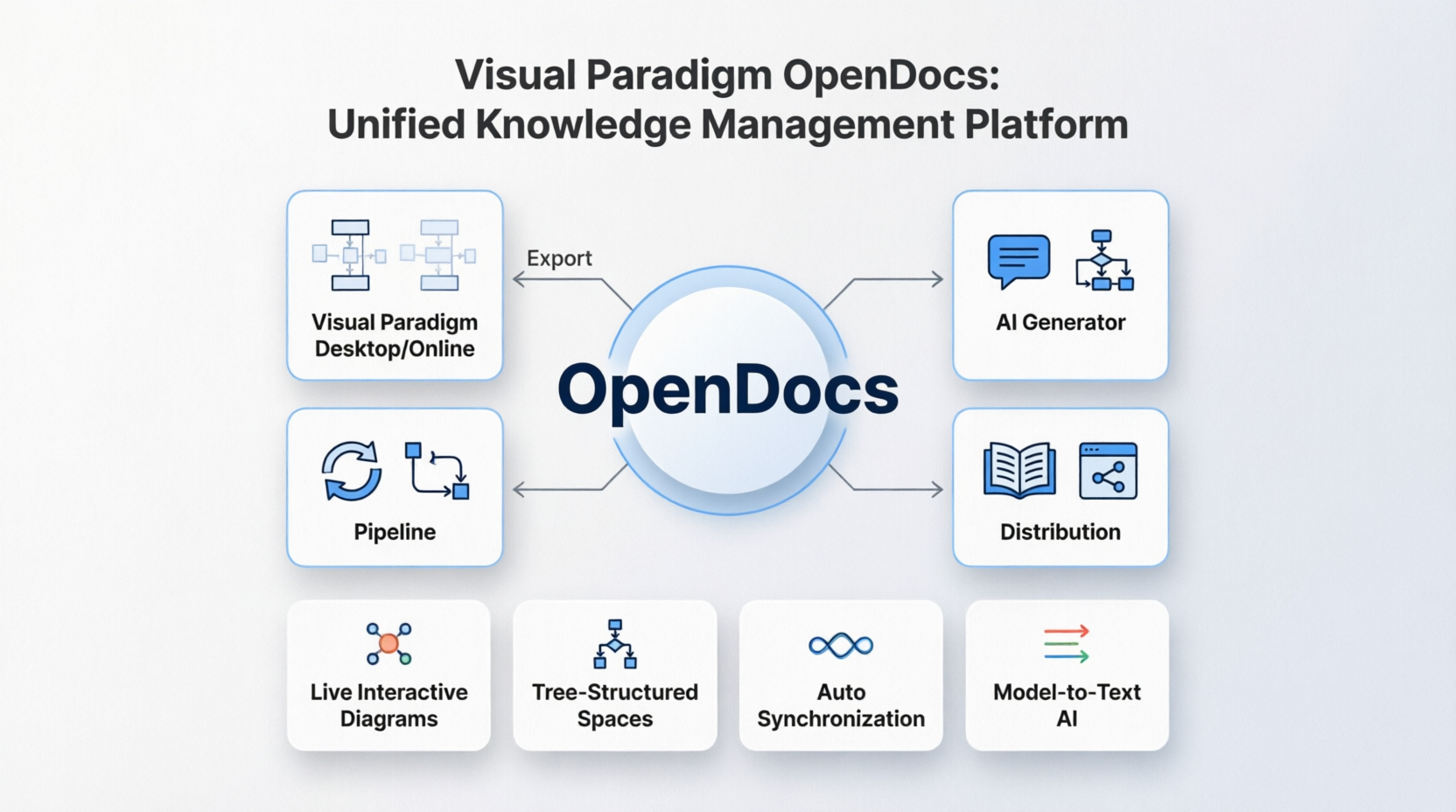
In modern software engineering, the challenge is no longer just writing code or drawing diagrams; it is about managing the lifecycle of architectural knowledge. Visual Paradigm OpenDocs represents a paradigm shift from static file storage to a dynamic, unified platform where modeling, documentation, and AI collaboration converge. As depicted in the system architecture, OpenDocs acts as the central “brain,” orchestrating data flow between traditional modeling environments, automated pipelines, and generative AI capabilities.
This tutorial dissects the architecture of the OpenDocs ecosystem, explaining how it integrates desktop and online environments, automates documentation through pipelines, and leverages AI to generate and distribute knowledge.
1. The Core: OpenDocs as a Central Hub
At the center of the architecture lies the OpenDocs platform. Unlike traditional UML tools that store data in local, proprietary files (often creating silos), OpenDocs functions as a centralized repository. It serves as the single source of truth, allowing for real-time synchronization and collaboration. This central hub is designed to bridge the gap between technical modeling and business documentation.
2. The Modeling Interface: Desktop and Online
The system connects directly to the primary user interface, labeled as Visual Paradigm Desktop/Online. This is where the heavy lifting of system analysis occurs.
- Visual Paradigm Desktop: The robust client application for complex architecture design.
- Visual Paradigm Online: The cloud-based environment for team collaboration and accessibility.
The arrow labeled Export in the diagram indicates the bi-directional flow of data. You can export models from the desktop to the OpenDocs platform to generate documentation, or conversely, import requirements and documentation back into the modeling environment to ensure alignment.
3. The Automation Engine: Pipelines and Distribution
OpenDocs automates the tedious aspects of software documentation through two key mechanisms shown on the left and right of the hub:
Pipeline Automation
The Pipeline component represents the automated workflow engine. It handles the transformation of model data into various formats. Instead of manually exporting a diagram to an image and then pasting it into a Word document, the pipeline automatically extracts the necessary metadata, diagrams, and text from the model.
Distribution Channels
Once the pipeline processes the data, the Distribution module ensures it reaches the right audience. As shown by the icon of a book and a network node, OpenDocs supports:
- Web Publishing: Generating interactive HTML documentation.
- Standard Formats: Exporting to PDF, Word, or Markdown.
- Knowledge Bases: Pushing content to internal wikis or documentation portals.
4. The Intelligence Layer: AI and Synchronization
The bottom section of the architecture introduces the advanced features that differentiate OpenDocs from standard repositories. These are the “living” components that keep the documentation alive.
- AI Generator: This component utilizes generative AI to create diagrams or text descriptions from high-level requirements, reducing the time spent on manual modeling.
- Model-to-Text AI: This allows developers to describe system logic in natural language, which the AI then converts into structural models or detailed documentation.
- Auto Synchronization: This is a critical feature for maintaining accuracy. It ensures that if a diagram changes in the model, the documentation updates automatically, and vice versa.
- Tree-Structured Spaces: A way to organize documentation hierarchically, mimicking the structure of a book or a file system within the platform.
- Live Interactive Diagrams: Instead of static images, OpenDocs renders diagrams that allow users to click through flows and interact with the model data directly in the browser.
5. Integrating the Ecosystem
The true power of OpenDocs is revealed when these components work in concert. A typical workflow involves:
- Modeling: An architect draws a Sequence Diagram in Visual Paradigm Desktop.
- Sync: The model is synced to OpenDocs via the Auto Synchronization engine.
- Generation: The Pipeline detects the new model and triggers the AI Generator to write a description of the flow.
- Distribution: The Distribution module publishes a live, interactive version of the diagram and the AI-generated text to the project’s knowledge base.