
Profile diagrams represent a critical layer of abstraction within Model Driven Architecture. They allow engineers to define custom extensions to the standard modeling language, enabling precise domain-specific semantics without altering the core syntax. While basic profile creation involves simple stereotypes, advanced implementation requires a deep understanding of metamodeling, constraint logic, and profile inheritance. This guide explores the structural and logical intricacies required to build robust, maintainable, and scalable profile diagrams.
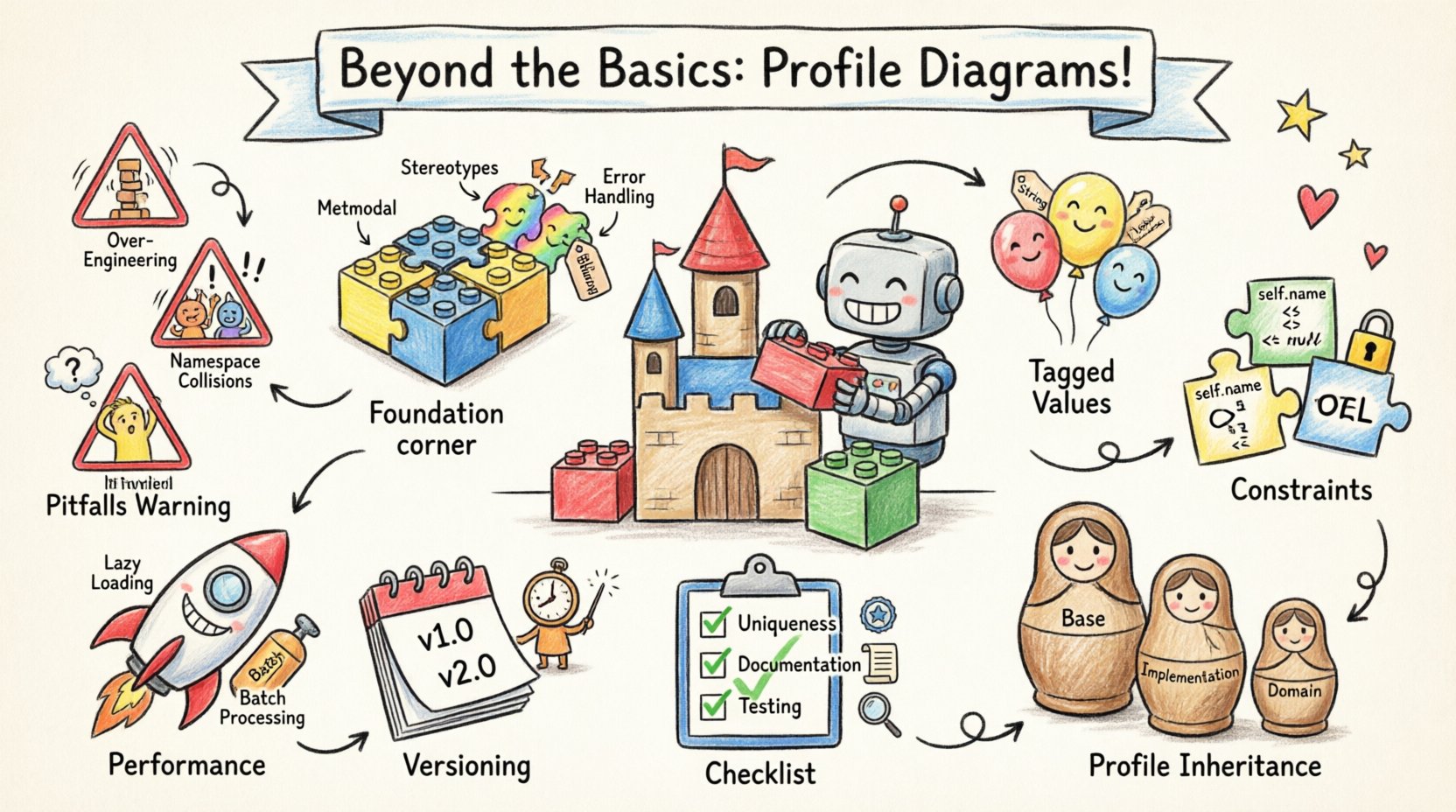
Understanding the Metamodel Foundation 🔧
Before constructing any profile, one must comprehend the underlying metamodel. A profile is not merely a collection of icons; it is a formal extension of the base metamodel. This extension relies on the Meta Object Facility (MOF) principles, ensuring that new elements conform to the structural rules of the language.
- Metaclass Association: Every stereotype must be associated with a specific metaclass. This defines the structural container for the stereotype.
- Extension Points: You must identify exactly where in the base model the extension applies. Is it for a Class, a Component, or a Relationship?
- Namespace Management: Proper namespace handling prevents naming conflicts when multiple profiles are applied simultaneously.
Advanced practitioners avoid creating profiles that duplicate existing metamodel features. Instead, they look for gaps in the semantic definition. If a standard UML property does not capture a specific business rule, a profile property is the correct solution. This ensures the model remains clean and the profile adds value rather than redundancy.
Defining Stereotypes and Tagged Values 🏷️
Stereotypes are the primary mechanism for extending the vocabulary of the modeling language. However, advanced profile creation moves beyond simple naming conventions to include rich data structures.
1. Structured Stereotypes
Simple stereotypes apply a label. Advanced stereotypes apply a data structure. This is achieved through tagged values. Tagged values allow you to attach attributes to the stereotyped element, similar to properties on a class.
- Data Types: Define specific data types for tagged values (e.g., String, Integer, Boolean, Enumerations).
- Cardinality: Determine if a tagged value is single-valued or multi-valued.
- Default Values: Provide defaults to reduce the burden on modelers who are new to the profile.
2. Tagged Value Validation
Validation at the tagged value level ensures data integrity before the model is processed. Constraints can be applied to ensure that a specific field contains only valid options.
- Range Constraints: Ensure numerical values fall within an acceptable boundary.
- Pattern Matching: Use regular expressions to validate string inputs, such as ensuring a version number follows a specific format.
- Referential Integrity: Ensure a tagged value points to an existing element within the model.
3. Documentation and Annotations
Every tagged value should have a clear definition. This is often stored in the profile metadata itself. When a modeler selects a tagged value, they should immediately understand its purpose. This reduces the cognitive load during the modeling process.
- Human Readable Names: Use clear labels instead of technical identifiers.
- Tooltip Definitions: Provide context-sensitive help directly within the modeling interface.
- Example Values: Show concrete examples of how the value should be used.
Constraint Definition and Logic 🧩
Stereotypes and tagged values handle data structure. Constraints handle logic. Advanced profile diagrams frequently include business rules that cannot be expressed through standard UML relationships. These rules are often defined using Object Constraint Language (OCL) or similar expression languages.
1. Invariant Constraints
Constraints define conditions that must always be true for a model to be valid. In a profile context, these often relate to the specific domain rules.
- Element Existence: Ensure that if a specific stereotype is applied, certain other elements must also exist.
- Property Consistency: Ensure that specific properties match across related elements.
- State Transition Rules: Define valid transitions between states for state-machine diagrams.
2. Operation Constraints
Operations within a profile can also be constrained. This is useful for defining the behavior of generated code or the execution of specific model transformations.
- Preconditions: Define requirements that must be met before an operation can execute.
- Postconditions: Define the state of the model after an operation completes.
- Invariants: Define conditions that must hold true throughout the execution of an operation.
3. Constraint Propagation
When a constraint is defined at the profile level, it must propagate correctly to the instances. This requires careful management of the scope. A constraint defined on a metaclass should apply to all instances of that metaclass, regardless of which profile applied the stereotype.
Profile Inheritance and Composition 🔄
Complex systems rarely rely on a single profile. They rely on a hierarchy of profiles. Understanding how to compose and inherit profiles is essential for scalability.
1. Profile Inheritance
Just as classes inherit properties, profiles can inherit extensions. This allows a specialized profile to build upon a general one. This reduces duplication and ensures consistency across different layers of the architecture.
- Base Profile: Contains common extensions used across the entire enterprise.
- Domain Profile: Inherits from the base and adds domain-specific extensions.
- Implementation Profile: Inherits from the domain profile and adds technical implementation details.
2. Profile Composition
Composition allows multiple profiles to be merged into a single package. This is necessary when integrating different architectural views.
- Namespace Merging: Ensure that namespaces do not conflict when profiles are combined.
- Conflict Resolution: Define rules for handling conflicting definitions between profiles.
- Visibility Control: Manage which stereotypes are visible to specific users or tools.
Performance and Scalability Considerations ⚙️
As models grow in size, the performance of profile processing becomes a critical factor. Advanced techniques must account for the computational cost of validation and rendering.
1. Lazy Loading
Profile extensions should only be loaded when they are accessed. This prevents unnecessary memory consumption during the initial model load.
- On-Demand Activation: Activate profile features only when a specific element type is selected.
- Caching Strategies: Cache validated results to avoid re-computation during iterative modeling sessions.
2. Batch Processing
For large-scale models, individual validation checks can be slow. Batch processing allows constraints to be evaluated in groups.
- Grouped Validation: Run constraint checks on batches of elements rather than one by one.
- Asynchronous Execution: Allow validation to run in the background without blocking the user interface.
Maintenance and Versioning 📝
A profile is a living artifact. It evolves as the domain evolves. Without a strategy for versioning, profiles become unstable and break existing models.
1. Version Control Strategies
Every change to a profile should be tracked. This includes changes to stereotypes, tagged values, and constraints.
- Semantic Versioning: Use major, minor, and patch numbers to indicate the impact of changes.
- Deprecation Policies: Clearly mark old stereotypes as deprecated before removing them.
- Migration Scripts: Provide tools to automatically migrate older models to newer profile versions.
2. Backward Compatibility
When updating a profile, ensure that existing models remain valid. Breaking changes should be avoided unless absolutely necessary.
- Optional Extensions: Make new features optional rather than mandatory.
- Legacy Support: Maintain support for older stereotype names during transition periods.
- Compatibility Layers: Create translation layers between old and new profile definitions.
Comparison of Extension Mechanisms
| Mechanism | Use Case | Complexity | Performance Impact |
|---|---|---|---|
| Stereotype Labeling | Simple categorization of elements | Low | Negligible |
| Tagged Values | Attaching metadata and properties | Medium | Low |
| Constraint Rules | Enforcing business logic and rules | High | Medium |
| Profile Inheritance | Building hierarchical domain models | High | Medium |
| Profile Composition | Merging multiple architectural views | Very High | High |
Validation Checklist for Profile Creation ✅
Before deploying a profile into a production modeling environment, ensure the following criteria are met. This checklist helps prevent common pitfalls associated with poorly designed extensions.
- Uniqueness: Verify that no two stereotypes share the same qualified name within the same namespace.
- Metaclass Validity: Confirm that every stereotype extends a valid base metaclass.
- Constraint Syntax: Ensure all constraint expressions are syntactically correct and valid.
- Documentation Completeness: Check that all elements have descriptions and usage examples.
- Tool Compatibility: Test the profile in the target modeling environment to ensure rendering is correct.
- Performance Testing: Load a large model to verify that profile processing does not cause latency.
- Version Control: Ensure the profile file is under version control with clear change logs.
- Conflict Analysis: Run a conflict analysis to check for overlaps with existing standard UML elements.
Common Pitfalls and How to Avoid Them ❌
Even experienced modelers make mistakes when designing profiles. Recognizing these pitfalls early can save significant time during the maintenance phase.
1. Over-Engineering
Creating profiles that are too complex for the intended use case. If a simple tag can solve a problem, do not create a new class.
- Solution: Start with the simplest possible extension. Only add complexity if required by business rules.
- Solution: Regularly review the profile to remove unused elements.
2. Namespace Collisions
Using names that conflict with standard UML elements or other profiles.
- Solution: Use distinct namespaces for all profile definitions.
- Solution: Adhere to naming conventions that distinguish profile elements from base elements.
3. Lack of Error Handling
When a model violates a constraint, the system should provide clear feedback. Vague error messages hinder productivity.
- Solution: Provide specific error messages that point to the exact element and property causing the issue.
- Solution: Offer suggestions on how to fix the violation within the error message.
Final Considerations for Long-Term Success 📌
Sustaining a high-quality profile ecosystem requires ongoing effort. It is not a one-time setup task. Teams must commit to regular reviews and updates.
- Community Feedback: Gather input from modelers who use the profile daily. They will identify issues that designers might miss.
- Training Materials: Keep documentation up to date. New team members need clear guides on how to use the extensions.
- Automated Testing: Implement automated tests for profile validation to catch regressions early.
- Governance: Establish a governance board to approve changes to the profile structure.
By adhering to these advanced techniques, modeling teams can ensure their profiles are robust, efficient, and capable of supporting complex domain requirements. The goal is not just to extend the language, but to enhance the precision and reliability of the models themselves. This disciplined approach to profile diagram creation leads to more predictable outcomes in system design and implementation.