


Tired of spending hours wrestling with clunky slide software, only to end up with bland, static decks that put your audience to sleep? Say goodbye to presentation purgatory! Introducing Visual Paradigm’s AI Markdown Presentation Maker – the game-changing tool that turns your raw ideas into stunning, animated slideshows in seconds. Powered by cutting-edge AI, it’s like having a design wizard on speed dial. Whether you’re prepping for a high-stakes pitch or a classroom deep-dive, this tool makes you look like a pro without the sweat.
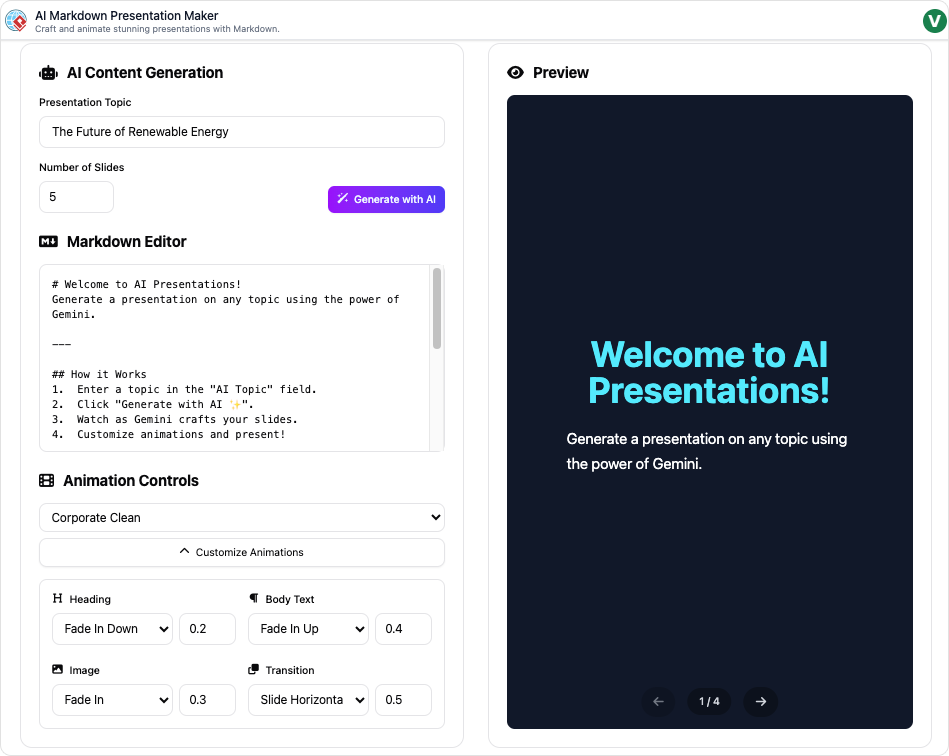
Why Choose It? The Magic Behind the Slides
Why settle for mediocre when you can have polished perfection? This isn’t just another editor – it’s an AI accelerator that:
- Generates Content Instantly: Input a single topic, and watch it auto-craft a full slideshow with titles, structured content, and even adjustable slide counts (from quick 5-slide summaries to epic 20+ slide masterpieces).
- Animates Effortlessly: Dive into 20+ pre-built animation profiles or tweak individual elements for that wow-factor flair – think smooth transitions, pop-up reveals, and cinematic flows.
- Edits Like a Breeze: Use intuitive Markdown syntax to refine text on the fly – no steep learning curve, just familiar formatting you already know (bold, lists, links? Nailed it!).
- Previews in Real-Time: See every tweak live as it happens, so you can rehearse and perfect your delivery without guesswork.
- Exports Seamlessly: One click to a standalone HTML file – share anywhere, present offline, no bloatware required.
The result? Faster creation (up to 10x quicker than traditional tools), stunning visuals that captivate, and zero tech headaches. It’s not hype – it’s your unfair advantage in a world drowning in dull decks.
Animation Effects
1. Packaged Animation Effect
The app provides a list of pre-configured “packaged” animation presets that apply a cohesive style to a presentation. The one currently highlighted and in use is “Professional Glide.”
The full list of available packaged effects shown includes:
-
Corporate Clean
-
Energetic Pop
-
Minimalist Fade
-
Tech Startup
-
Elegant Reveal
-
Hollywood Premiere
-
Academic Lecture
-
Cosmic Zoom
-
Retro Arcade
-
Dramatic Entrance
-
Subtle Shift
-
Playful Bounce
-
Professional Glide
-
Rapid Fire
-
Storybook Opening
-
News Report
-
Industrial Grit
-
Nature’s Flow
-
Cinematic Roll
-
Futuristic Flash
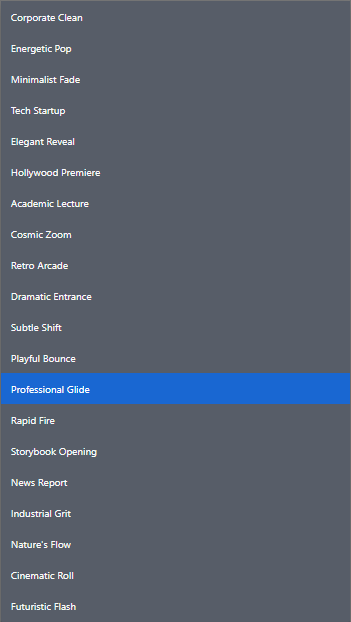
2. Custom Effects (for “Professional Glide”)
The “Customize Animations” section allows you to fine-tune the specific effects and timings for different elements within the presentation slide. The image shows the custom settings applied to the “Professional Glide” preset: i.e.
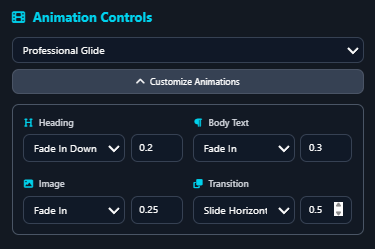
| Element | Effect Applied | Duration (Seconds) |
| Heading | Fade In Down |
0.2 |
| Body Text | Fade In |
0.3 |
| Image | Fade In |
0.25 |
| Transition | Slide Horizon (likely Slide Horizontal) |
0.5 |
These settings dictate how each element (Heading, Body Text, Image) appears on the slide and how the slides transition from one to the next, allowing for precise control over the overall flow and feel of the presentation.
Who Is This For?
Tailored for the busy innovators who demand more:
- Business Pros & Entrepreneurs: Nail investor pitches or team updates with sleek, persuasive slides.
- Educators & Trainers: Simplify complex topics into digestible, animated lessons that keep students hooked.
- Content Creators & Marketers: Whip up explainer videos or promo reels that convert viewers into fans.
- Students & Academics: Ace projects and theses with pro-level presentations that impress professors.
If you’ve ever stared at a blank slide and thought, “There has to be a better way,” this is your tool. No design degree? No problem. It’s accessible for beginners yet powerful for pros.
When to Unleash It? Perfect Timing Scenarios
Don’t wait for deadlines to strike – integrate it into your workflow for everyday wins:
- High-Pressure Meetings: Need a quick boardroom breakdown? Generate and animate a pitch in under 5 minutes before the clock ticks.
- Teaching Moments: Facing a tough lecture? Transform dense notes into interactive slide decks that make learning fun and memorable.
- Marketing Sprints: Launching a campaign? Create animated explainers that tell your story with style, minus the video editing marathon.
- Project Crunches: Assignment due tomorrow? From brainstorm to final export in a HTML – reclaim your evenings!
It’s ideal for any time you need to communicate ideas visually, fast – remote calls, webinars, workshops, you name it.
Real-World Examples: See It in Action
- Business Pitch: A startup founder inputs “Sustainable Energy Solutions.” Boom – 12 animated slides emerge: intro hooks with fade-ins, data viz pops, and a call-to-action finale. Landed the funding? You bet.
- Classroom Lesson: An educator types “Quantum Physics Basics.” AI builds a 15-slide journey with step-by-step animations revealing particle paths. Students rave: “Finally, I get it!”
- Marketing Explainer: Content creator feeds “Our New App Features.” Out pops a vibrant 8-slide video-ready deck with kinetic text and icon bursts – shared on social, views skyrocket.
- Student Project: Undergrad submits “Climate Change Impacts.” Tool crafts a 10-slide report with timeline animations and infographic reveals. A+ earned, stress avoided.
These aren’t hypotheticals – they’re the everyday transformations users are raving about. (Pro tip: Start with our free trial and see your first deck sparkle!)
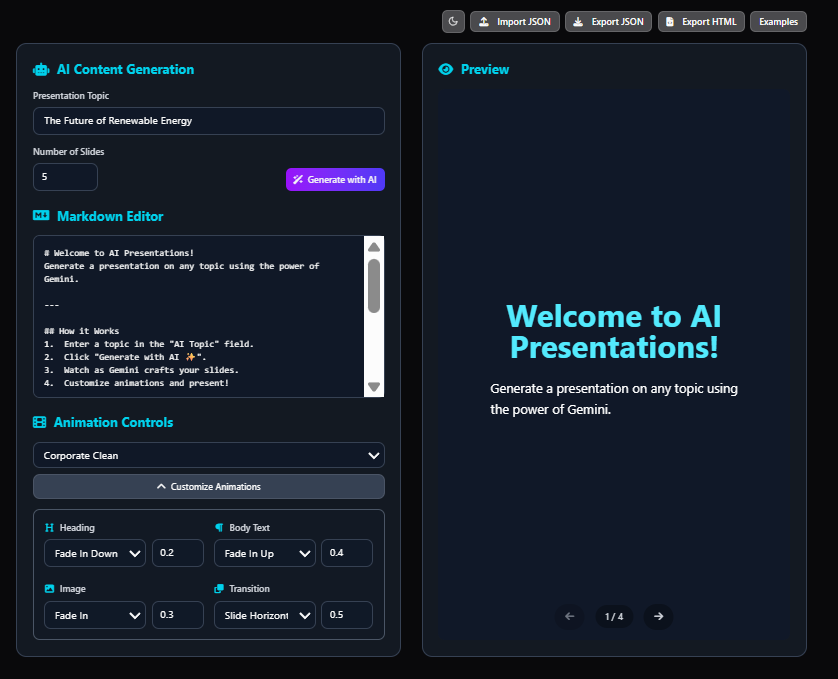
Ready to ditch the drudgery and dazzle your audience? Head to Visual Paradigm’s Markdown Presentation Maker now – create your first animated masterpiece today. What’s your next big idea? Drop it in the comments, and let’s slide into inspiration! 🎉 #PresentationHacks #AIMagic #VisualParadigm #MarkdownPower